
YOUR TERMINAL IS PERSONAL. MAKE IT LOOK THAT WAY.
System info.
With a signature.
Turn Fastfetch into a setup that feels like you. Choose a palette, bring your favorite artwork, and put every detail exactly where you want it.
40 real palettes25 configurable modulesASCII + image logosLinux · macOS · Windows
THIS IS YOUR PLAYGROUND
Don’t imagine it. Make it.
Click around. Change everything. The app’s real themes, presets and module rules power this interactive browser studio.
◉ PREVIEW● Fastfetch: OK (2.70.0)│ Arch Linux│ 09:47
Presets
Choose which modules fastfetch prints and how they are grouped.
Interactive browser recreation · sample specs only · Apply saves locally, never to your system. Browser & native differences ↗
↔ Pan across the app, or expand the studio. The desktop layout stays intact.
Curated showcase: Synthwave '84 🎸 · Full Info · all five semantic groups colored. Native app defaults remain available in Settings.
Rust + Ratatui✦Keyboard-first✦Human-readable JSONC✦No account. No cloud setup.✦Make it yours.
01 / A PALETTE FOR EVERY KIND OF YOU
Same terminal. Entirely different energy.
From quiet Catppuccin mornings to neon Synthwave nights. These aren’t decorative website swatches — they’re the actual palettes your Fastfetch setup will use.
Catppuccin Latte 🥛
Rosé Pine 🌲
Dracula 🧛
Nord Aurora ❄️
Tokyo Night 🌃
Gruvbox Dark 📦
Synthwave '84 🎸
Sakura Cherry 🌸
Cotton Candy 🍭
Matrix 💚
Cyberpunk 2077 🌆
02 / YOUR INFORMATION, YOUR COMPOSITION
A little less noise. Or the whole picture.
Full Info brings all 25 modules together. Developer, Gaming and Minimal give you a different starting point. Try a complete look below — every choice loads into the live studio.

cyberdeck@matrix-station
├ → Arch Linux x86_64
├ → Linux 6.12.8-zen1-1-zen
├ → 1337 (pacman), 42 (flatpak)
├ → zsh 5.9
├ → Hyprland (Wayland)
├ → none
├ → Catppuccin Mocha
├ → Papirus-Dark
├ → Bibata-Modern-Ice
├ → kitty 0.49.2
├ → JetBrainsMono Nerd Font (12pt)
├ → CyberDeck Hyperion Edition v2
├ → AMD Ryzen 9 7950X (32) @ 5.700GHz
├ → NVIDIA GeForce RTX 4090 (24GB VRAM)
├ → 16.42 GiB / 64.00 GiB (25%)
├ → 8.00 GiB / 16.00 GiB
├ → 512.00 GiB / 2.00 TiB (25%)
├ → 100% [Full]
├ → 3840x2160 @ 144Hz
├ → 192.168.1.100 / 24
├ → 203.0.113.42
├ → MyNetwork (802.11ac)
├ → 2026-10-24 17:05:00
├ → 4 hours, 20 mins
├ → Spotify - Daft Punk - Around the World
25 MODULES · FULL INFO
Neon, fully loaded.
Synthwave ’84 · Full Info · Pikachu
       /\
      /  \
     /\   \
    /      \
   /   ,,   \
  /   |  |  -\
 /_-''    ''-_\
cyberdeck@matrix-station
├ → Arch Linux x86_64
├ → Linux 6.12.8-zen1-1-zen
├ → 1337 (pacman), 42 (flatpak)
├ → zsh 5.9
├ → kitty 0.49.2
├ → JetBrainsMono Nerd Font (12pt)
├ → none
├ → Hyprland (Wayland)
├ → AMD Ryzen 9 7950X (32) @ 5.700GHz
├ → NVIDIA GeForce RTX 4090 (24GB VRAM)
├ → 16.42 GiB / 64.00 GiB (25%)
├ → 8.00 GiB / 16.00 GiB
├ → 512.00 GiB / 2.00 TiB (25%)
├ → 192.168.1.100 / 24
├ → 203.0.113.42
DEVELOPER LAYOUT
A calmer workspace.
Catppuccin Mocha · Developer · Arch
cyberdeck@matrix-station
├ → Arch Linux x86_64
├ → Linux 6.12.8-zen1-1-zen
├ → 4 hours, 20 mins
├ → AMD Ryzen 9 7950X (32) @ 5.700GHz
├ → NVIDIA GeForce RTX 4090 (24GB VRAM)
├ → 16.42 GiB / 64.00 GiB (25%)
├ → 8.00 GiB / 16.00 GiB
├ → 512.00 GiB / 2.00 TiB (25%)
├ → 3840x2160 @ 144Hz
├ → 100% [Full]
├ → 192.168.1.100 / 24
├ → MyNetwork (802.11ac)
GAMING LAYOUT
Built for your battlestation.
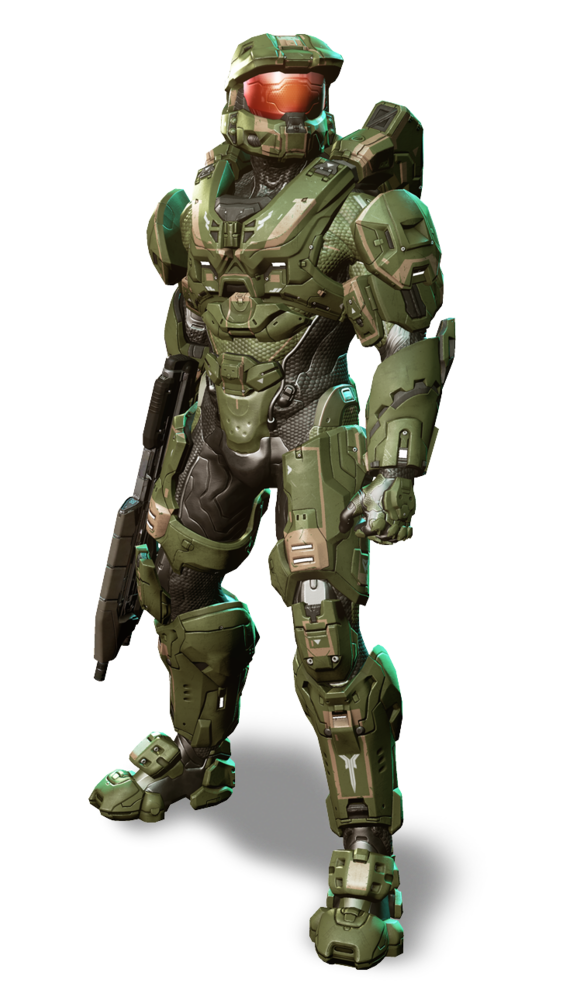
Tokyo Night · Gaming · Master Chief
 /\_/\
( o.o )
 > ^ <
cyberdeck@matrix-station
├ → Arch Linux x86_64
├ → Linux 6.12.8-zen1-1-zen
├ → zsh 5.9
├ → 4 hours, 20 mins
MINIMAL LAYOUT
Just the essentials.
Nord Aurora · Minimal · Cat
03 / NOT JUST A DISTRO LOGO
Put a little
you in the prompt.
Keep it classic with crisp ASCII. Go bold with image artwork. Find the right scale, then make the palette sing around it.
- Built-in ASCII and bundled image choices
- Small, Medium and Large logo sizing
- Custom image paths and terminal protocols
- Per-group colors that tie the whole setup together
IMAGE / MEDIUM
ASCII / NATIVE CRISP
       /\
      /  \
     /\   \
    /      \
   /   ,,   \
  /   |  |  -\
 /_-''    ''-_\
Small footprint. Big personality.One image. Your scale.SML
SML04 / LOOKS LIKE YOUR MACHINE. FEELS LIKE YOURS.
From a default readout to a considered setup.
user@machine
------------
OS: Linux
Kernel: 6.x
Shell: zsh
CPU: Your CPU
Memory: Your memory

A useful readout. Room for you.
cyberdeck@matrix-station
├ → Arch Linux x86_64
├ → Linux 6.12.8-zen1-1-zen
├ → 1337 (pacman), 42 (flatpak)
├ → zsh 5.9
├ → Hyprland (Wayland)
├ → none
├ → Catppuccin Mocha
├ → Papirus-Dark
├ → Bibata-Modern-Ice
├ → kitty 0.49.2
├ → JetBrainsMono Nerd Font (12pt)
├ → CyberDeck Hyperion Edition v2
├ → AMD Ryzen 9 7950X (32) @ 5.700GHz
├ → NVIDIA GeForce RTX 4090 (24GB VRAM)
├ → 16.42 GiB / 64.00 GiB (25%)
├ → 8.00 GiB / 16.00 GiB
├ → 512.00 GiB / 2.00 TiB (25%)
├ → 100% [Full]
├ → 3840x2160 @ 144Hz
├ → 192.168.1.100 / 24
├ → 203.0.113.42
├ → MyNetwork (802.11ac)
├ → 2026-10-24 17:05:00
├ → 4 hours, 20 mins
├ → Spotify - Daft Punk - Around the World
Illustrative sample output. Your chosen modules report your actual system when you run Fastfetch locally.
Every module earns its place.
Keep the essentials. Add the details you care about. Toggle and reorder 25 modules without hand-editing a configuration file.
✓Operating System↕✓CPU↕✓GPU↕·Memory↕
Explore the layouts →Color with intention.
OS, desktop, hardware, network and time each have a semantic color. Fine-tune icons and text, or let the palette do the work.
Operating system
#FFCF70Desktop#81F4FFHardware#FFD700Network#FF8AB4Time#B7E99EShow your style. Keep your details.
Demo mode swaps system values for sample specs. Explore, screenshot and record a look without turning your hardware or network details into the centerpiece.
Networkyour real address203.0.113.42SAMPLE DATA · DEMO MODE
Understand demo privacy →05 / FROM FIRST CLICK TO YOUR NEXT PROMPT
Make something you want to open again.
Find your starting point.
Pick a theme and preset. Browse logos, switch the size, and see the composition change live.
Make the details yours.
Choose modules and semantic colors. Keep Full Info, or build a quieter custom layout.
Take it to your terminal.
Download TermFetch Studio, or export JSONC from the browser and run it with Fastfetch.
Follow the getting-started guide →ONE STUDIO. THREE PLATFORMS.
Your next setup
starts here.
Published v2.0.0 downloads are ready. Current source v2.1.0 is maintained alongside this website.
Choose your download ↗⊞Windowsx64 ZIP · extract/run EXE · Fastfetch separate↗⌘macOSUniversal · Apple Silicon + Intel↗Linuxglibc · musl · DEB · RPM↗
Homebrew · WinGet · Scoop · AUR coming soon
A FEW GOOD QUESTIONS
Before you make it yours.
What is TermFetch Studio?
TermFetch Studio is an open-source Rust terminal UI for customizing Fastfetch themes, presets, modules, colors and ASCII or image logos. It includes a live preview and generates Fastfetch JSONC configuration.
Does TermFetch Studio replace Fastfetch?
No. Fastfetch produces the system-information output. TermFetch Studio helps you customize its appearance and layout. Install Fastfetch separately to use native Fastfetch output.
How many themes and presets are included?
The current source catalog contains 40 themes and six built-in presets: Full Info, Minimal, Focused, Developer, Gaming and Custom Modules. Full Info contains 25 modules; Custom Modules lets you choose their order and selection.
Which operating systems can I download it for?
Published v2.0.0 downloads include a Windows x64 ZIP, a universal macOS archive for Apple Silicon and Intel, Linux x64 glibc and musl archives, and DEB and RPM packages. Terminal image support depends on the terminal and selected image protocol.
Can I use my own image as a Fastfetch logo?
Yes. The native studio supports a custom image and image-size choices alongside its ASCII and bundled image catalog. A browser JSONC export needs an image path that exists on your machine and an image protocol supported by your terminal.
A SMALL CHANGE TO AN EVERYDAY THING.